
Hi,
I am using V6.18.02 under WIN 11 Pro on a DELL Precision 7670 laptop. My target is a preamp that uses a AD SHARC DSP and I have used this preamp for years and it works fine. I know that the version is old but it's the latest that my target HW will work with.
It's the laptop that's new.
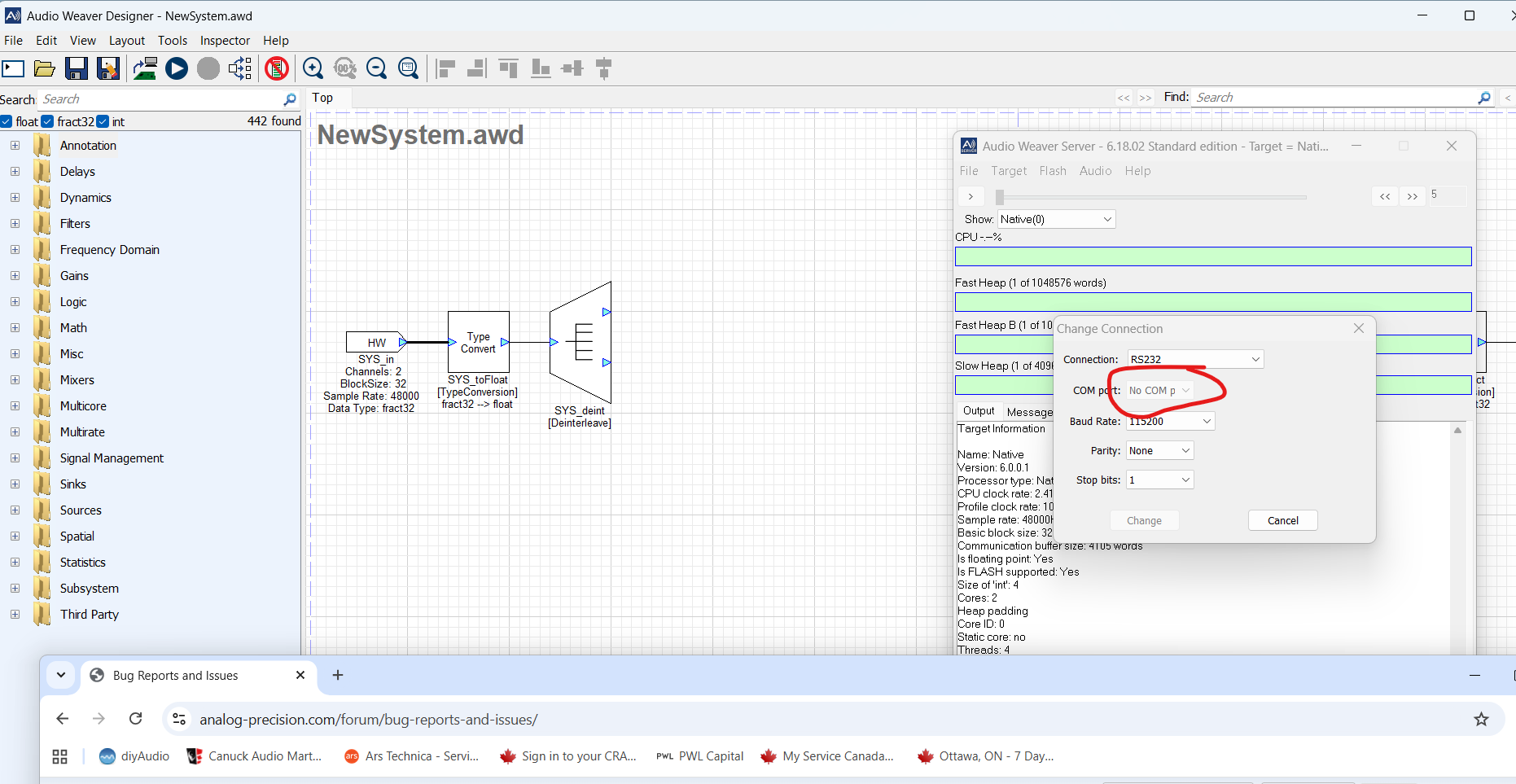
I cannot change connection to the needed RS232 (over USB). I get "No com port" in a greyed out box even though the ini file for AWE server seems to become enumerated with the correct com port number. Are there any advanced settings that need to be tweaked?
Any ideas?
Thanks!
Matt

12:03pm
Hi Matt,
Sorry to hear that. As you're probably aware, version 6 is several years old and we don't actively support it any more. Do you have a support contract? I could not link your e-mail to a commercial account.
What is the AD device in question? Typically I would suggest updating the library if we still support it, however we can't do that without a support contract or similar.
Thanks,
Gary
9:55am
Hi Gary; my licence admin is dspdude@gmail.com.
I realize that it's an older version of the tool but it's the only one that works with the hardware (single core).
I have connectivity to the target per the USB View tool built into Windows but I cannot get the RS232 dialog box to present another COM port. It is just grey'd out. The .ini file looks fine.
Note I have used this tool since about 2018/19 with the same target with no problems. The target is an Analog Devices SHARC ADSP21489 4th Generation.
Thanks
Matt